
Published: November 1, 2026. Last updated: November 22, 2026.
Yes, you can pay with PayPal without an account when the merchant and transaction qualify for PayPal Guest Checkout. This option lets you complete an online purchase using an eligible debit or credit card without signing up for PayPal or logging in to an existing account.
To use it, select PayPal at a participating store’s checkout and look for an option such as Pay with Debit or Credit Card or Checkout as Guest. Enter your payment details, review the purchase, and complete the payment.
However, PayPal guest checkout is not available for every purchase. Whether you see the option depends on the merchant’s checkout configuration, your location, transaction eligibility, and PayPal’s security checks. If PayPal asks you to log in or create an account, you may need to choose another payment method.
What is PayPal Guest Checkout?
PayPal Guest Checkout is a payment option that allows customers to purchase goods or services through PayPal’s payment-processing system without having a PayPal account.
Instead of using a PayPal balance or signing in with an email address and password, you enter the information required to pay with an eligible card. PayPal processes the card payment on behalf of the merchant.
For example, you might visit an online store, add a product to your cart, and select PayPal as the payment method. If guest checkout is available, you can proceed with your card rather than registering for a PayPal account.
Guest checkout does not mean that you provide no personal information. You may still need to enter your name, email address, billing address, shipping information, and card details to complete the purchase.
PayPal confirms in its official Guest Checkout documentation that eligible buyers can pay by debit or credit card without a PayPal account login.

How to pay with PayPal without an account
If a merchant supports PayPal Guest Checkout and the transaction is eligible, you can generally complete your purchase in the following steps.
- Go to the online store’s checkout page. Add the items you want to purchase to your cart and proceed to the payment section.
- Select PayPal as your payment method. The store may show a PayPal button alongside other payment options. Choose PayPal to open the available checkout experience.
- Look for the guest payment option. If available, select Pay with Debit or Credit Card, Checkout as Guest, or a similarly labelled card-payment option instead of signing in.
- Enter your payment information. Provide the requested card details, billing information, email address, and any other details needed for the transaction.
- Review your purchase. Check the merchant’s name, order total, currency, delivery details, and any additional charges before confirming.
- Complete the payment. Select the final payment confirmation button. Depending on your card issuer, you may also need to complete a security verification.
- Keep your confirmation. Save the merchant’s order number and payment receipt or confirmation email so you can identify the transaction later.
The exact button labels and screens vary by country, merchant, and PayPal integration. Some checkouts display the card-payment option immediately, while others show it after the initial PayPal selection.
If you only see options to log in or create a PayPal account, the guest payment option may not be available for that transaction.
Can you pay a PayPal invoice without an account?
Yes. PayPal allows eligible invoices to be paid using a debit or credit card without requiring the customer to have a PayPal account.
This can be useful when a freelancer, service provider, or business sends you an invoice through PayPal, but you do not want to register for an account just to make the payment.
PayPal’s official invoice instructions describe the following process:
- Find the PayPal invoice in your email inbox.
- Verify that you recognize the sender and the payment request.
- Select View and Pay Invoice.
- Choose Pay with Debit or Credit Card if that option appears.
- Enter the requested payment information and review the invoice amount.
- Select Pay Now to complete the payment.
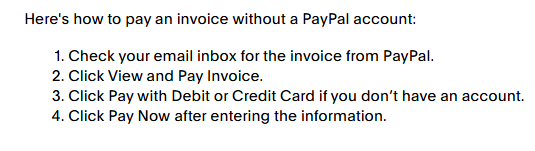
These steps are described in PayPal’s invoice payment help article. Available payment methods can vary by region and transaction.
Only pay invoices you recognize. If you receive an unexpected PayPal invoice, do not call telephone numbers included in suspicious invoice notes or follow unfamiliar payment links. Verify the request with the business through a trusted contact method.
Why is PayPal Guest Checkout not showing?
PayPal does not guarantee that buyers will always be offered guest checkout. Even if a merchant supports card payments without an account, PayPal can require a buyer to log in or create an account for a particular transaction.
PayPal identifies several factors that can affect whether the option appears, including account and purchase history, stored PayPal cookies, location, risk evaluation, and the way the merchant’s checkout is configured.
| Possible reason | What it means | What you can do |
|---|---|---|
| Guest checkout is not enabled or supported | The merchant’s payment setup may require a PayPal account. | Ask the merchant whether direct card payment or another checkout option is available. |
| PayPal requires an account | PayPal may determine that the transaction is not eligible for guest payment. | Use a permitted alternative payment method or sign in if you choose to use an account. |
| Location or payment eligibility | Guest payment availability can differ by market and transaction. | Check the payment options available for your actual country and billing information. |
| Repeated guest card use | PayPal may require an account after a card has been used for guest payments too many times. | Follow the available payment options or ask the merchant about an alternative. |
| Recurring payment or subscription setup | Some automatic payment products do not support standard guest checkout. | Check whether the merchant offers a separate supported payment method. |
| Checkout integration issue | A merchant’s third-party shopping cart may override the account-optional setting. | Contact the seller so they can investigate their checkout integration. |
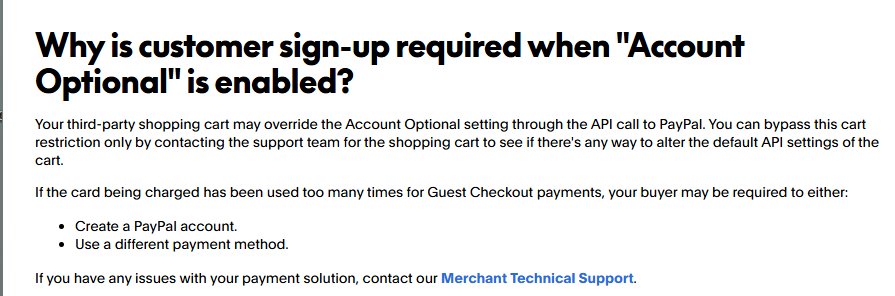
PayPal’s documentation explains that a merchant’s Account Optional setting does not override every eligibility or risk decision. Its Account Optional troubleshooting guidance also identifies repeated guest-card use and third-party cart settings as potential reasons for account requirements.
What to do if PayPal keeps asking you to log in
If PayPal asks you to sign in and you do not want to create or use an account, start by checking the payment options on the legitimate checkout page.
- Check for a card-payment button. The merchant may offer a separate debit or credit card checkout option outside the PayPal login flow.
- Confirm that the checkout page loaded correctly. If the payment screen is blank or displays an error, refreshing the page or using an updated browser may resolve a technical problem.
- Contact the merchant. Ask whether PayPal Guest Checkout is supported for your purchase and whether another card payment option is available.
- Use an alternative payment method. If the seller supports another trusted card processor or payment service, you may be able to complete the purchase without PayPal.
- Contact official PayPal support. If the payment page appears to be malfunctioning, visit the PayPal Help Center for assistance.
Changing browsers or refreshing a page cannot guarantee that guest checkout will become available. A technical display problem and a PayPal eligibility restriction are different issues.
Always use your real billing information and payment details. Changing your country or entering false information to force guest checkout can cause payment problems and does not legitimately override PayPal’s restrictions.
What can you do with PayPal without an account?
Guest checkout applies to certain merchant purchases. It does not provide access to every PayPal feature.
| PayPal activity | Without a PayPal account? |
|---|---|
| Buy from an online store using an eligible card | Yes, when Guest Checkout is available |
| Pay an eligible PayPal invoice by card | Yes, when the guest card option is offered |
| Use a PayPal account balance | No |
| Send money directly through PayPal Friends and Family | No, this is an account-based feature |
| View payments in a PayPal account’s transaction history | No, an account login is required |
| Set up PayPal account-based automatic payments | A PayPal account is generally required |
Can you send someone money without a PayPal account?
PayPal Guest Checkout is primarily a merchant payment feature. It does not give someone without an account full access to PayPal’s Send Money or Friends and Family services.
If you want to send money directly to another person’s PayPal account, the standard PayPal Send Money process requires an account. If the recipient is a seller, they may instead be able to send you an eligible PayPal invoice that can be paid by card without signing up.
Paying a legitimate business invoice is different from sending a personal transfer. Do not use a commercial invoice or purchase transaction to misrepresent the nature of a personal payment.
Is PayPal Guest Checkout free?
For ordinary US purchases, PayPal generally does not charge buyers a separate PayPal transaction fee when no currency conversion is involved. Using Guest Checkout also does not require paying a fee to create a PayPal account, because creating an account is not necessary for an eligible guest purchase.
However, the total cost of a transaction can still include the merchant’s product price, shipping charges, applicable taxes, and other disclosed charges.
If you purchase from an international merchant, currency conversion charges or foreign transaction fees from your card issuer may apply. The applicable costs depend on your country, card, and transaction.
Review the total and payment currency before completing checkout. PayPal’s US consumer fee schedule provides more information about purchasing and currency conversion charges.
Is it safe to pay through PayPal as a guest?
PayPal Guest Checkout allows you to enter payment information through a PayPal-supported checkout without creating a PayPal account. However, payment security also depends on using a legitimate merchant, a trustworthy checkout page, and appropriate safeguards.
Before entering your card details, make sure you recognize the merchant and understand what you are purchasing.
- Verify the merchant. Check the seller’s website, contact details, return policy, and order information before paying.
- Check the payment page. Use the checkout provided by the legitimate merchant and confirm that the page uses HTTPS. A secure connection alone does not prove that a seller is trustworthy.
- Review the payment amount. Check the currency and total charge before confirming the purchase.
- Keep your receipt. Save the payment confirmation and order details in case you need a refund or assistance.
- Monitor your card statement. Check for unexpected or duplicate charges after the transaction.
Never send your full card number, security code, password, or one-time verification code to a seller through email, chat, or messaging apps.
Refunds and buyer protection when paying without an account
One important difference between guest checkout and account-based PayPal payments is how you manage your purchase afterward.
When you pay through a PayPal account, eligible transactions may qualify for PayPal Purchase Protection and can normally be reviewed through your account activity. A guest payment does not automatically provide the same account-based transaction management experience or guarantee the same protections.
How do you get a refund after PayPal Guest Checkout?
If you want a refund for a guest purchase, start by contacting the merchant using the contact information on its official website or your order confirmation. Provide the order reference, purchase date, and a description of the issue.
If the merchant agrees to refund the payment, the refund is generally processed back toward the original payment method, subject to the payment arrangement and card issuer’s processing procedures.
Keep the purchase confirmation, refund correspondence, and relevant card statement information until the matter is resolved.
Can you open a PayPal dispute without an account?
PayPal provides instructions for customers who have a card transaction processed through guest checkout but cannot find the payment in a PayPal account.
According to PayPal’s guest transaction help article, you may be able to activate a PayPal account using the Activate PayPal Now option in the email received when you made the purchase. After account creation, PayPal describes how to report a problem through its Resolution Center.
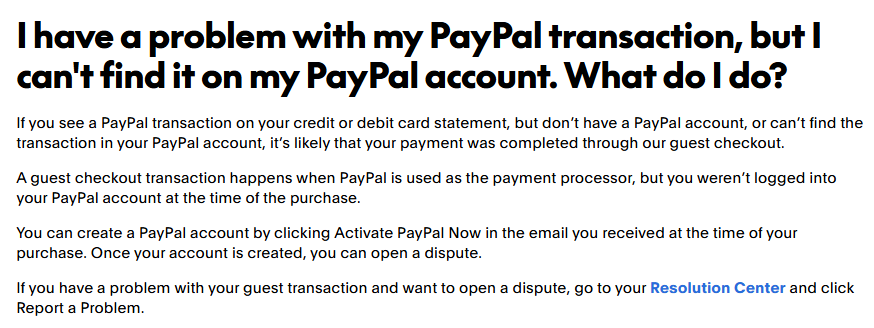
If you cannot find the relevant email or the account activation option, contact PayPal through its official support channels. Your card issuer may also provide a dispute process for eligible card transactions.
For invoice payments made using a method outside the PayPal Wallet, PayPal specifically directs customers with payment problems to the merchant or their payment method provider. The available remedies depend on how the payment was processed and the applicable terms.
PayPal Purchase Protection should not be assumed to apply automatically to every guest card payment. Check the protection terms for the payment product and your country before relying on a particular dispute process.
PayPal Guest Checkout vs. Fastlane by PayPal
PayPal Guest Checkout and Fastlane by PayPal can both allow shoppers to complete eligible purchases without signing in to a traditional PayPal account, but they are not identical.
Standard guest checkout generally involves entering the card and billing information needed for the individual purchase.
Fastlane offers an accelerated checkout experience at participating merchants. Shoppers can save eligible payment and shipping information in a Fastlane profile and use a one-time verification code to access saved details on future purchases.
A Fastlane profile is separate from a PayPal account. PayPal’s US Fastlane terms state that Fastlane transactions do not qualify for PayPal account benefits such as Purchase Protection. Buyers should use the protection and payment terms specific to the checkout method they choose.
Frequently asked questions
Can I use a debit card with PayPal without creating an account?
Yes, if the merchant offers PayPal Guest Checkout and your debit card is eligible. Select the available debit or credit card payment option and enter the required details. Card acceptance can vary by market, merchant, and issuer.
Why does PayPal want me to create an account?
PayPal may require account creation or login because the transaction does not qualify for Guest Checkout. Possible reasons include risk checks, buyer history, location, repeated guest card use, or merchant checkout settings. The exact reason may not be disclosed.
Does PayPal Guest Checkout work in every country?
No. Guest checkout availability varies by country and by transaction. An online store may support guest payments for customers in one market while other customers are required to use a PayPal account or a different payment method.
Can you use PayPal Guest Checkout for subscriptions?
Not always. PayPal identifies several automatic-payment and subscription integrations that do not support its standard guest checkout experience. Some merchants may use another supported checkout product, but a recurring payment option should not be assumed to work without an account.
Can a merchant enable PayPal Guest Checkout?
Eligible merchants can configure PayPal’s Account Optional setting and compatible checkout integrations to offer guest card payments. However, enabling the setting does not guarantee that every buyer will see the guest option because PayPal still evaluates individual transactions.
Paying with PayPal without signing up: What to remember
You do not necessarily need a PayPal account to purchase something from an online merchant that accepts PayPal. When Guest Checkout is available, you can use an eligible credit or debit card, complete the payment, and keep the transaction confirmation without signing up.
If the guest option does not appear, it may be unavailable for the merchant, location, or particular transaction. In that case, check the seller’s other accepted payment methods rather than assuming that every PayPal payment can be completed without an account.
Official PayPal resources
This guide uses the following PayPal resources:
- PayPal Guest Checkout Help — account-optional payments, eligibility factors, and unsupported payment integrations.
- PayPal Invoice Payment Help — paying an invoice using a debit or credit card without an account.
- PayPal Account Optional Troubleshooting — checkout configuration and reasons account creation may be required.
- PayPal Invoice Payment Methods — wallet and non-wallet payment options and payment assistance.
- PayPal Guest Transaction Support — identifying guest purchases and reporting payment problems.
- PayPal US Consumer Fees — purchase fees and currency conversion information.
- Fastlane by PayPal — how Fastlane profiles work and how they differ from PayPal accounts.