
To receive money on PayPal, give the sender the confirmed email address or eligible mobile number connected to your account, or send a money request through PayPal. Depending on your country and account, you may also be able to share a PayPal username, payment link, QR code, or invoice.
After the sender pays, sign in through the official PayPal app or website and verify the transaction in Activity or Transaction Details. Do not rely only on an email, text message, or payment screenshot.
You normally need an eligible PayPal account and a confirmed email address to claim an ordinary PayPal payment. Receiving the payment, keeping it in a PayPal balance, and transferring it to a bank or card are separate processes. Available features, fees, and withdrawal options vary by country.
Last verified: October 24, 2026.
What you need before receiving money
- An eligible PayPal account registered with accurate personal or business information.
- A confirmed email address associated with the account.
- A linked and eligible mobile number if the sender will use your phone number.
- Completed identity, tax, or business verification when PayPal requests it.
- The correct account type for the purpose of the payment.
- An eligible withdrawal destination if you intend to transfer the money out of PayPal.
PayPal services differ by market. In some countries, receiving money may be available only for particular transaction types or may require linking the account to a licensed local partner. Check your country through PayPal’s country and region directory and then review the local Help Center and User Agreement.
Confirm the email address you will share
PayPal normally sends a confirmation message when you add an email address. Complete the confirmation before asking someone to pay it. On the website, you can check this from Settings and use the confirmation option beside the email address when needed.
Only share an address you control. Do not add an unfamiliar email address merely because a sender claims that a payment was sent to it.
Ways to receive money through PayPal
| Receiving method | Best used for | Important condition |
|---|---|---|
| Email address or mobile number | A sender who already knows your supported PayPal identifier | The identifier must belong to your eligible account and may need confirmation. |
| Money Request | Asking a specific person to pay a particular amount | A request is unpaid until the other person completes the payment. |
| PayPal Link | Sharing a one-time request through text, email, direct message, or chat | Current U.S. PayPal Links are created in the app; availability varies by market. |
| Username | Helping friends find the correct recipient without typing an email address | Username support is not available in every country or account. |
| QR code | Receiving an in-person payment | The personal QR flow currently requires both people to use the PayPal app in the U.S. |
| Invoice or business payment tool | Receiving payment for goods, services, or client work | Commercial fees, account requirements, and protection conditions can apply. |
Receive a direct payment to your email or phone number
You do not need to send a request if the payer already has a supported identifier associated with your account.
- Give the sender your confirmed PayPal email address or linked mobile number.
- Ask the sender to verify the spelling or number before confirming the payment.
- Make sure the sender selects the correct payment purpose when PayPal asks whether the payment is personal or for goods and services.
- After the sender pays, open PayPal directly rather than following an unexpected message link.
- Open Activity and select the transaction.
- Check the sender, amount, currency, payment type, status, fee, and available amount.
If the sender uses an email address or phone number that is not associated with your account, the payment may remain unclaimed. Do not create or alter account details unless you genuinely own and control the identifier.
Can someone send money before you open a PayPal account?
A sender may be able to initiate a payment to an email address belonging to someone who has not yet opened PayPal. To claim an ordinary PayPal payment, the recipient generally needs to open an eligible account and confirm the relevant email address.
Unclaimed-payment rules differ by market. The current U.S. status guidance says an unclaimed payment is automatically canceled if the recipient does not claim it within 30 days. Check the transaction details and local rules rather than assuming the same period applies worldwide.
How to request money on the PayPal website
A Money Request is useful when you want to specify the payer, amount, currency, and purpose. It does not confirm that the person has paid.
- Sign in through the official PayPal website.
- Select Send & Request.
- Open the Request tab.
- Enter the payer’s name, email address, or mobile number.
- Select the intended person and continue.
- Enter the amount and select the correct currency.
- Select the request type when PayPal offers that choice.
- Add a short note explaining the genuine purpose of the payment.
- Review the payer, amount, currency, and payment purpose.
- Select Request Now.
PayPal emails the request to the payer and notifies you if it is paid. A request marked Pending means the payer has not paid it yet.
How to request money in the PayPal app
- Open the PayPal app and sign in.
- Select Send/Request or Request, depending on the app layout.
- Enter the amount you want to request.
- Select the intended contact.
- Add a note when it helps identify the expense or transaction.
- Review the information and select Request Now.
The app interface can differ by country, operating system, account type, and version. Use the labels shown in your account rather than relying on an old screenshot.
Receive money with a PayPal Link
In the current U.S. PayPal app, a PayPal Link is a unique, one-time link for sending or requesting money through text, email, direct message, or another chat app.
- Open the PayPal app.
- Select Send/Request.
- Choose the option to send or request money with a link.
- Enter the amount, currency, and an optional note.
- Select Request.
- Review the details and create the PayPal Link.
- Share it privately with the intended payer.
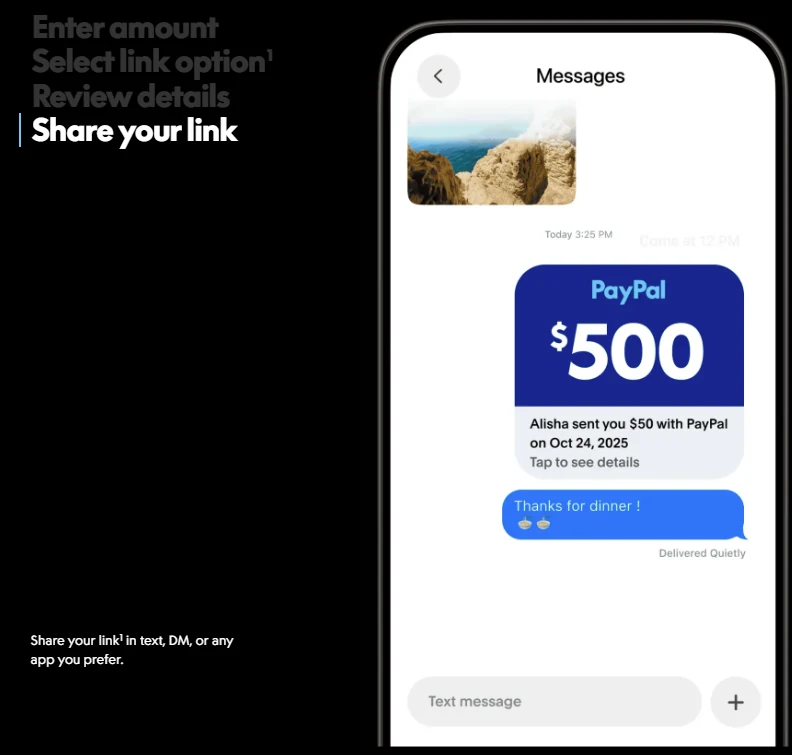
The current U.S. product page says the payer needs a PayPal account and has 10 days to pay a request before the link expires. You can manage the link, send a reminder, or cancel it in the app before it is paid.
Older guides may refer to PayPal.Me. At the time of verification, the U.S. PayPal.Me page redirected to the newer PayPal Link product. Other countries may continue to use different names or link formats, so check the feature shown in your local app.
Receive money with a username or QR code
Share your PayPal username
Where usernames are supported, a payer can search for or enter your PayPal username instead of typing an email address. Confirm that the profile name and account belong to you before asking the person to send money.
Show your PayPal QR code
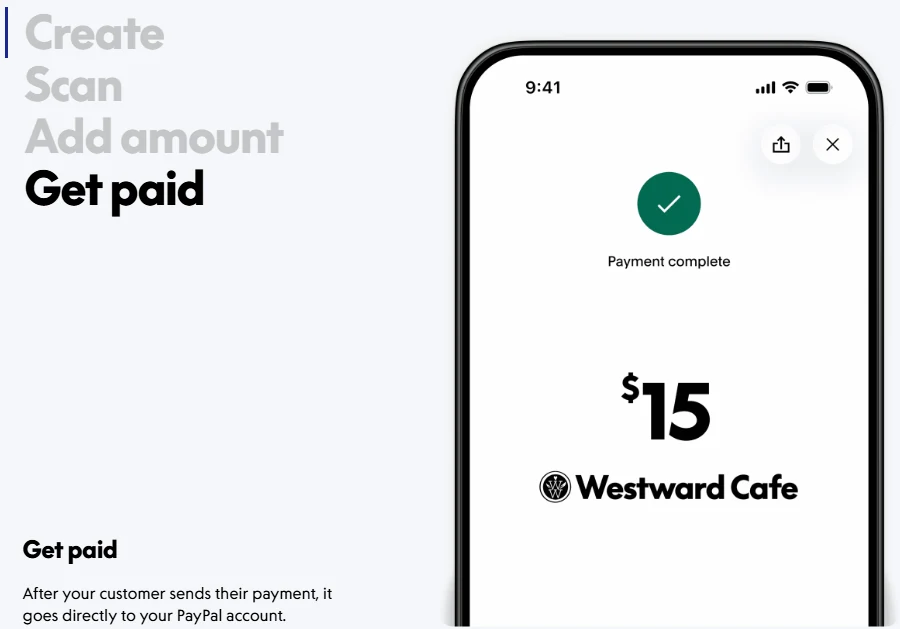
A QR code is useful for an in-person payment. In the current U.S. personal QR flow, both the sender and recipient need the PayPal app.
- Open your QR code in the PayPal app.
- Show the code to the payer or display a securely saved copy.
- The payer scans it using the PayPal app or a supported phone camera flow.
- The payer enters or confirms the amount and payment purpose.
- Open Activity and verify the completed payment before handing over an item or providing a service.
A personal QR payment and a business goods-and-services QR payment do not necessarily have the same fees or protection. Use the transaction type that reflects what the payment is actually for.
Personal payments versus payments for goods and services
| Payment purpose | Appropriate treatment |
|---|---|
| Reimbursing a shared meal, giving a gift, or repaying a friend | A personal or Friends and Family payment where that option is available. |
| Buying a product | A commercial or Goods and Services payment. |
| Paying a freelancer, consultant, or service provider | A commercial payment, invoice, or approved business-payment method. |
| Paying a marketplace seller | A purchase payment using the platform’s approved commercial flow. |
| Making a donation | An eligible donation product or the appropriate payment type for the organization and market. |
Do not ask a customer to classify a purchase as a personal payment to avoid commercial fees. Personal payments are not intended for buying goods or services and do not receive Purchase Protection.
Commercial recipients should also use the appropriate account type. Under the current U.S. User Agreement, a Personal account is intended primarily for personal, family, or household activity. A Business account is required when the account is established primarily for business or commercial activity, even if the business is not incorporated.
The same U.S. agreement says Business accounts are not eligible to receive personal transactions. Account rules differ by country, so verify the local agreement before deciding which account to use.
Do you need a bank account to receive money?
A bank account is not necessarily required for someone to send money to your eligible PayPal account. The sender can generally pay a supported email address, mobile number, username, request, link, or QR code without knowing your bank details.
However, a bank account, eligible debit card, or local partner may be needed for another part of the process:
- Completing account verification in a particular market.
- Transferring the received money out of PayPal.
- Using a withdrawal method offered in your country.
- Receiving money where PayPal requires a licensed local partner.
In the United States, a Personal account can transfer received money to a linked bank account or eligible debit card without opening a PayPal Balance account. A Balance account is required if the user wants to keep and use the money as a PayPal balance. Other countries use different account arrangements.
How to verify that a PayPal payment is real
- Open the official PayPal app or type the official website address into a new browser window.
- Sign in and open Activity.
- Select the transaction.
- Check the sender’s name and identifier.
- Confirm the amount and currency.
- Check whether it is a personal payment or commercial transaction.
- Review the exact status.
- Check any fee and the net amount credited to you.
- For a sale, inspect the shipping address and Seller Protection eligibility shown in Transaction Details.
- Do not deliver goods, provide high-risk work, or issue a refund until the transaction has been independently verified.
A payment request, invoice, email, text, or screenshot is not proof that usable funds have arrived. A scammer can send a genuine-looking message or put misleading text and a fraudulent phone number inside a request or invoice.
Understand PayPal payment statuses
| Status | What it generally means |
|---|---|
| Pending request | The person who received your request has not paid it. |
| Pending payment | The transaction is still processing, the funding source is being verified, or PayPal is reviewing it. |
| Completed | The transaction succeeded and the money is recorded in the recipient’s account. |
| Unclaimed | The intended recipient has not accepted or received the payment, often because the identifier is not yet connected or confirmed. |
| On hold or held | The payment is recorded but temporarily unavailable while PayPal reviews the transaction, account, dispute, or seller activity. |
| Denied | The recipient did not accept the payment and it was returned to the sender. |
| Returned | The payment was returned, such as when it was not claimed within the applicable period. |
| Refunded or reversed | Money was sent back to the payer or removed following the applicable transaction process. |
Do not treat every pending status as the same problem. Open the transaction and follow the account-specific explanation. A completed payment can also be subject to a separate hold or later dispute, so completion does not mean that a commercial transaction can never be reversed.
Why received money may be on hold
PayPal may temporarily hold a commercial payment based on the account and transaction. Current official guidance lists possible reasons such as:
- You are a new seller or have opened a new account.
- You returned to selling after a period of inactivity.
- Your sales volume, average price, business type, or selling pattern changed.
- You sell items or services PayPal considers higher risk.
- Customers reported problems or requested refunds.
- Your identity or business verification is incomplete.
- The transaction was classified as a goods-and-services payment.
- Tax information or another account requirement is outstanding.
Open your authenticated PayPal account and review the explanation beside the balance or transaction. Follow only the steps displayed inside the account. There is no legitimate requirement to pay an outside “release,” “upgrade,” “insurance,” or “verification” fee to unlock incoming funds.
Hold timing and release actions differ by account and transaction. Do not assume that every hold lasts the same period or that adding tracking guarantees an immediate release.
PayPal fees for receiving money
Receiving money is not universally free. The fee depends on the account country, payment purpose, payer and recipient markets, payment method, currency, and whether PayPal performs a conversion.
- Domestic personal payments: the recipient may pay no PayPal receiving fee in some markets and funding situations, but local rules apply.
- International personal payments: international transaction and currency-conversion costs may apply.
- Commercial payments: the seller or service provider normally pays the applicable merchant transaction fee.
- Invoice payments: the commercial rate can depend on how the customer pays.
- QR-code payments: personal and commercial QR transactions can follow different fee schedules.
- Currency conversion: the exchange rate can include a conversion spread even when no separate receiving fee applies.
- Withdrawals: the fee can differ between standard, instant, card, check, or local-partner withdrawal methods.
Use PayPal’s consumer fee schedule for personal U.S. transactions and its business pricing page for U.S. commercial payments. For any other country, use the official local fee page rather than applying U.S. rates.
Do not ask a payer to misclassify a purchase as a personal transaction to avoid a fee. The payment purpose affects fees, protection, evidence requirements, and dispute handling.
Receive money from another country
PayPal can support cross-border payments between eligible accounts, but sending and receiving capabilities are not identical in every market.
Before requesting an international payment, confirm:
- Your account can receive the intended transaction type from the payer’s country.
- The payment currency is supported by your account.
- Whether the money will be held in that currency or converted.
- Which exchange rate and conversion spread may apply.
- Whether an international receiving fee applies.
- Whether you need to accept the currency manually.
- Whether withdrawal requires conversion to a local currency.
- Whether your market requires a local licensed partner.
A PayPal account transfer is not the same as a Xoom remittance. Xoom may deliver money to a bank, mobile wallet, or cash-pickup location without placing it in the recipient’s PayPal account. Follow the instructions for the actual service used.
How to use or withdraw received money
Depending on your country and account, you may be able to keep an eligible balance, use it for PayPal purchases, send it to another PayPal account, or transfer it to an eligible withdrawal destination.
For U.S. accounts, PayPal currently documents this website route for a bank or eligible debit-card transfer:
- Open Wallet.
- Select Transfer Money.
- Select the option to transfer to your bank.
- Choose the eligible destination and available transfer speed.
- Review the amount, destination, fee, currency, and estimated arrival.
- Follow the on-screen instructions to confirm.
In the U.S. app, the documented route begins by tapping the PayPal balance, then Transfer → Transfer to bank. Other countries may offer different bank, card, check, mobile-wallet, or local-partner options.
Not every bank or debit card is eligible. Transfer reviews, bank processing, weekends, holidays, incorrect details, and currency conversion can affect arrival. A failed withdrawal is different from a payment hold on the original transaction.
Does receiving money include Seller Protection?
No. Receiving a commercial payment, invoice payment, or Goods and Services payment does not automatically guarantee Seller Protection.
For a U.S. transaction, open the Transaction Details page and check whether PayPal marks it eligible or partially eligible. Protection can depend on the item or service, seller and buyer locations, shipping address, proof of shipment or delivery, digital-delivery evidence, transaction type, and timely responses to PayPal.
The current U.S. Seller Protection terms can apply to eligible Unauthorized Transaction and Item Not Received claims, but exclusions and additional requirements apply. Other countries use their own terms.
A payment can also be completed and later disputed, reversed, or charged back. Preserve the transaction details, customer messages, invoice, shipment records, tracking, delivery evidence, and documentation showing that a service or digital item was provided.
Common problems when receiving money
| Problem | What to check |
|---|---|
| The sender used the wrong email | Check whether the payment is unclaimed. The sender may need to cancel it when eligible and send it to your confirmed address. |
| Your email is not confirmed | Open Settings, confirm the correct address, and then review the transaction again. |
| The request is still pending | The payer has not paid the request. Sending a reminder does not convert it into a payment. |
| The payment is pending | Open Transaction Details to see whether PayPal is reviewing the payment or waiting for the funding source. |
| The money is on hold | Review the hold explanation and complete only the legitimate actions shown inside the account. |
| The payment is in another currency | Check whether you can accept, hold, or convert that currency and review the exchange rate. |
| You received less than expected | Review the transaction fee, cross-border treatment, fixed fee, and currency conversion. |
| The money appears but cannot be withdrawn | Check fund availability, account limitations, verification requests, and whether the bank or card is an eligible destination. |
| The payer says the payment was accidental | Verify the transaction independently. Do not send a separate payment to another account; use the original transaction’s refund process when appropriate. |
| The payment was later disputed | Respond through the Resolution Center and provide the requested records and delivery evidence. |
Safety rules when receiving PayPal payments
- Open PayPal directly instead of following an unexpected payment or cancellation link.
- Verify every payment in Activity or Transaction Details.
- Never share your password, PIN, one-time code, or passkey approval.
- Never give a payer your full card number, bank login, or remote access to your device.
- Never pay an external fee to upgrade your account or release incoming funds.
- Do not ship goods or deliver high-risk work based only on an email or screenshot.
- Do not call a support number written inside an unfamiliar request or invoice.
- Do not trust a website only because it uses HTTPS or displays a padlock.
- Refund through the original transaction rather than sending a new payment elsewhere.
- Preserve transaction records, messages, invoices, tracking, and delivery evidence.
PayPal’s fake-message guidance recommends entering the official URL manually and warns that encrypted websites and padlock icons can also be used by scammers.
Tax and recordkeeping considerations
Receiving money does not by itself determine whether it is taxable. A personal reimbursement, gift, business payment, product sale, service fee, refund, and donation can have different treatment under the law that applies to you.
The payment label also does not create or remove an underlying tax obligation. PayPal may have reporting duties, but a reporting threshold is not necessarily the same as the point at which income becomes taxable.
For commercial activity, preserve transaction records, invoices, payment fees, refunds, disputes, shipping costs, and other relevant business records. Use current guidance from your national tax authority or a qualified adviser before applying a tax rule or reporting threshold.
Final receiving checklist
- Your account is eligible to receive the intended payment type.
- Your email address or mobile number is correct and confirmed.
- You shared only the necessary PayPal identifier, request, link, QR code, or invoice.
- The personal or commercial payment type matches the real purpose.
- The payment appears inside the authenticated PayPal account.
- The sender, amount, currency, fee, net amount, and status are correct.
- The funds are available rather than merely requested, pending, or held.
- Seller Protection eligibility and delivery requirements were checked when relevant.
- You understand the available balance and withdrawal options in your country.
- You retained the transaction ID and records needed for accounting, disputes, or taxes.